1. Claim the 5,000 Coins
Open Smash the City by Kabooom Crew, click the gear on the left, open Settings, find the Codes box and enter SMASH. Press Redeem.
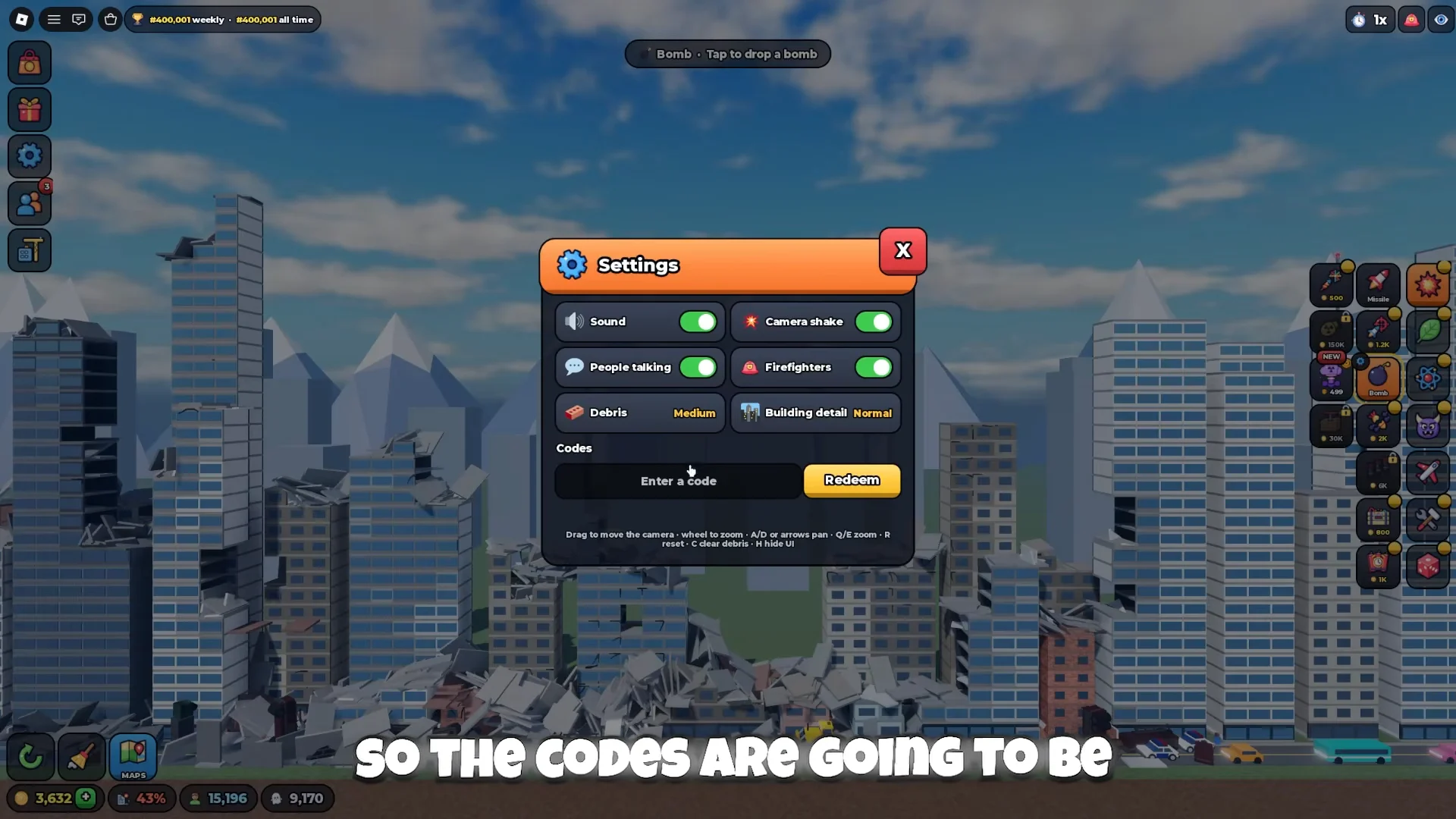
Where the code goes: Settings, then the Codes box at the bottom. Source: recorded gameplay.
2. Make the screen easier to read
Turn off Camera shake if the explosions make you queasy. If the game feels sluggish, try lowering Debris and Building detail; no specific frame-rate gain has been measured.
On PC: drag to move the camera, scroll wheel to zoom, A/D or the arrow keys to pan, Q/E to zoom, R to reset, C to clear debris, H to hide the UI. Touch controls were not documented, so this page does not describe them.
3. Pick a city you can already enter
Open MAPS in the bottom-left corner and look at what is available. Downtown is the example used here. Secondary sources list Downtown and Night City as the two free cities; if your screen shows another condition, trust the unlock box over this page.
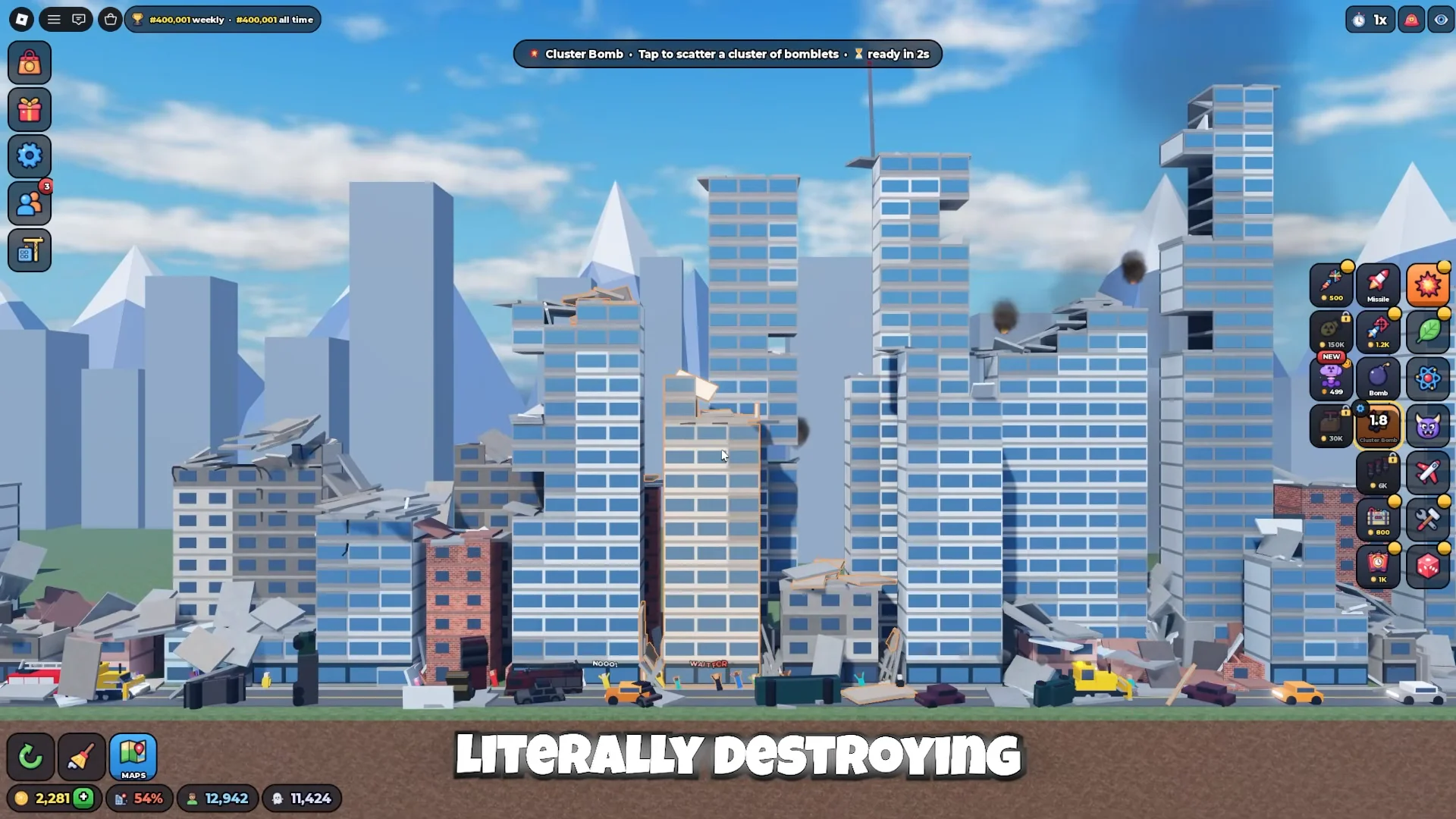
The bottom-left MAPS button and the right-hand tool grid. Source: recorded gameplay.
4. Fire one tool
Use the tool you already have — Missile is available from the tutorial. Select it in the tool grid on the right, aim at a building and follow the prompt at the top of the screen.
When a building changes shape and the destruction percentage moves, you have completed the loop once.
5. Adjust the tool, not a universal panel
Bigger blasts, more missiles and longer storms are the three examples the creator names. They are not three sliders shared by every weapon: the Hand exposes a grab radius, the Saw exposes speed and blade size. The material does not give the limits or the cost of each setting.
6. Read the two numbers separately
The percentage at the bottom is progress through the city, not money. Coins sit next to it.
At 25% you get +100 Coins; at 50% you get +250 Coins. Both amounts are visible on screen.
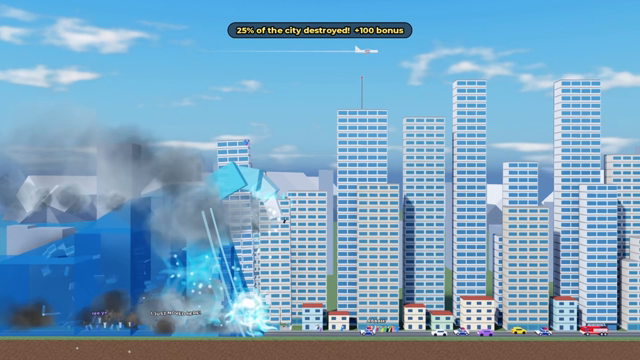
The 25% banner: a bonus on top of the pieces you broke. Source: official preview.
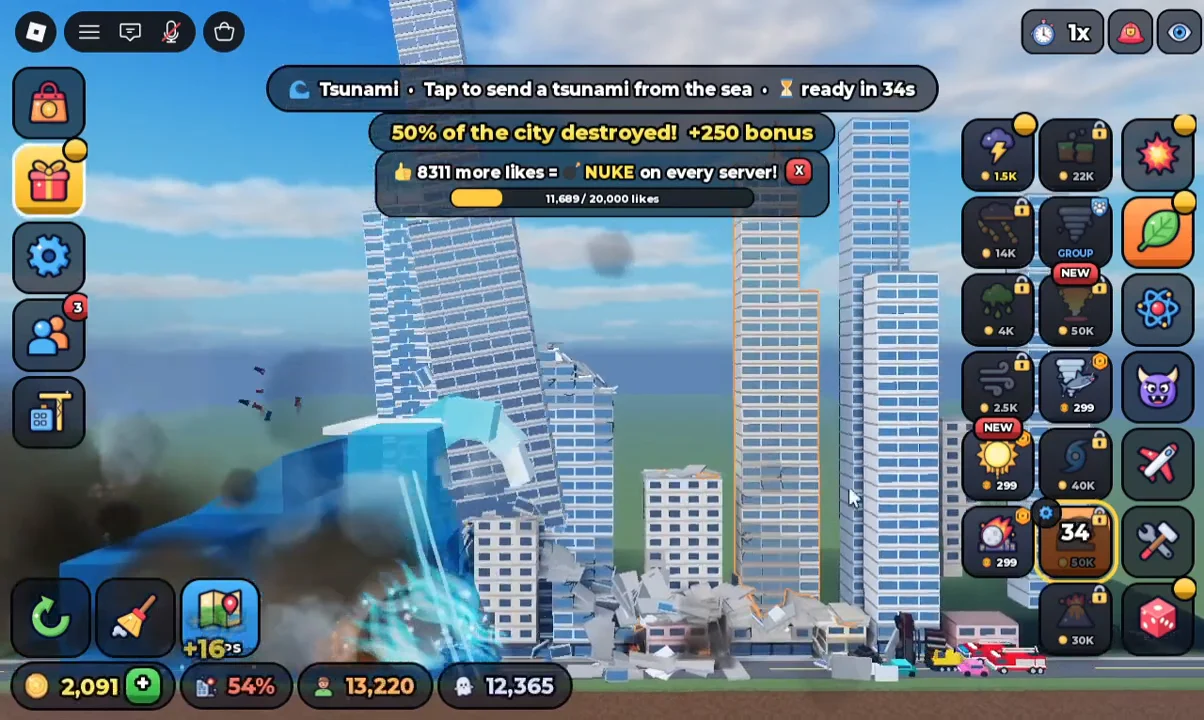
The 50% banner: the same rule at the next threshold. Source: recorded gameplay.
7. Decide on the first 2,000
If you want a second destruction option quickly, the Cluster Bomb costs 2,000 Coins or 49 Robux.
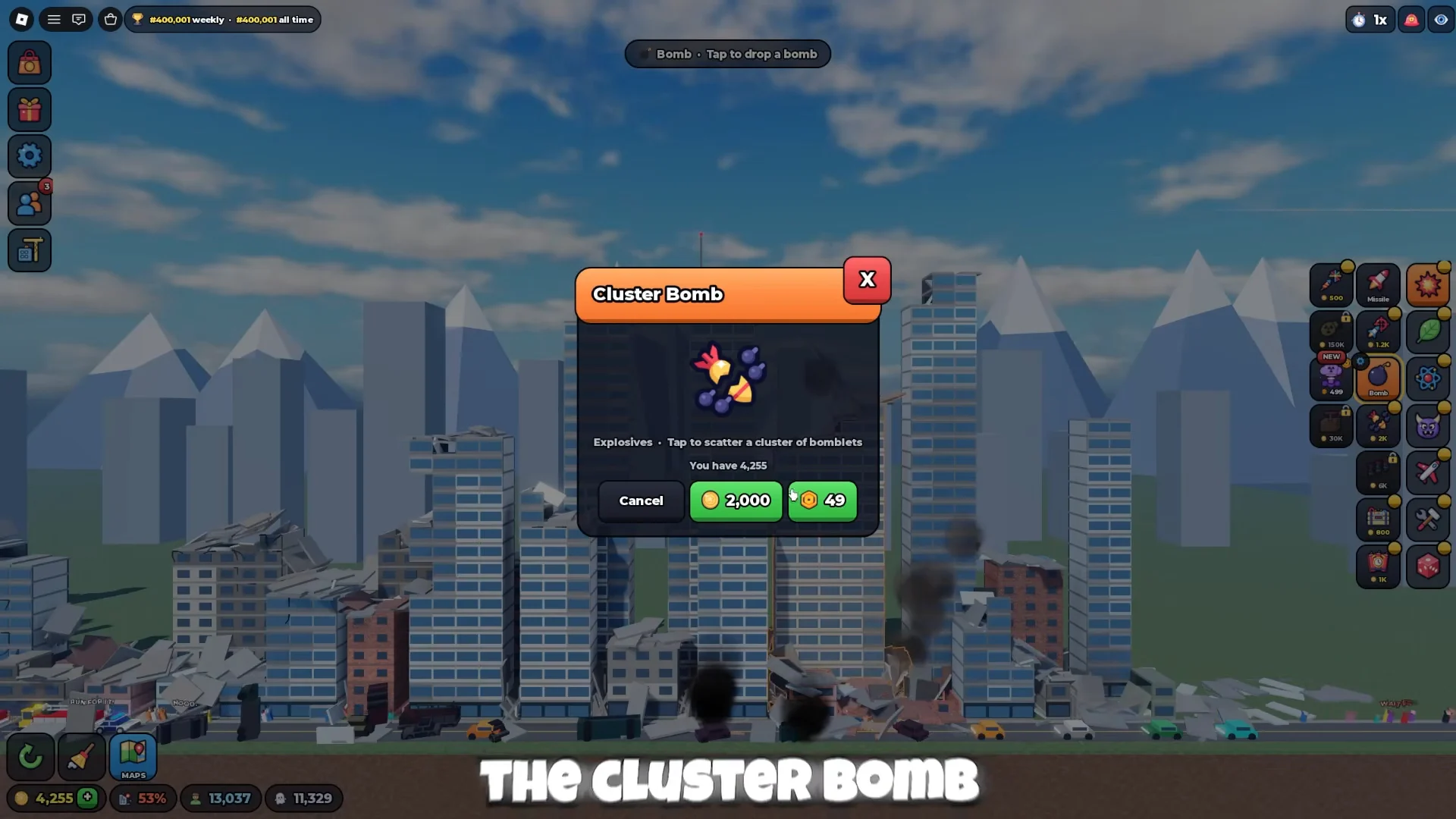
The two buttons: Coins on the left, Robux on the right. Source: recorded gameplay.
You can also keep the Coins and save toward a city or a bigger tool.
Nothing happens when you redeem
Check the box is under Settings, not the chat. Re-type the code without trailing spaces. Watch the balance rather than a popup.
The camera is unbearable
Turn off Camera shake first, then try lower detail settings. If the game still stutters, leave the server and join a fresh one.
The percentage moves but the Coins do not
You are reading the destruction bar. Coins are the separate number with the coin icon. Progress bonuses arrive at 25, 50, 75 and 95 percent.
A city is locked
Open the city's unlock box and read the requirement there. This page and the price table are secondary records; the live requirement wins.
What comes next: run one more city, write down what a normal run paid, then plan your next unlock with that number.